Comparing Wi-Fi, Bluetooth, and Z-Wave Smart Locks in North Carolina
Share
Smart door locks are quickly becoming standard in North Carolina homes, apartments, and rentals. But choosing between Wi-Fi, Bluetooth, and Z-Wave smart locks can be confusing, especially once you factor in NC-specific realities like brick homes, humid summers, and frequent thunderstorms. This guide compares each protocol in plain language and shows how to match the right smart lock technology to your North Carolina lifestyle, property type, and budget. If you’re already considering an upgrade, share your door type, internet setup, and location in NC, and you can get a tailored recommendation and install quote from a local specialist such as S & Y Internet Technology.
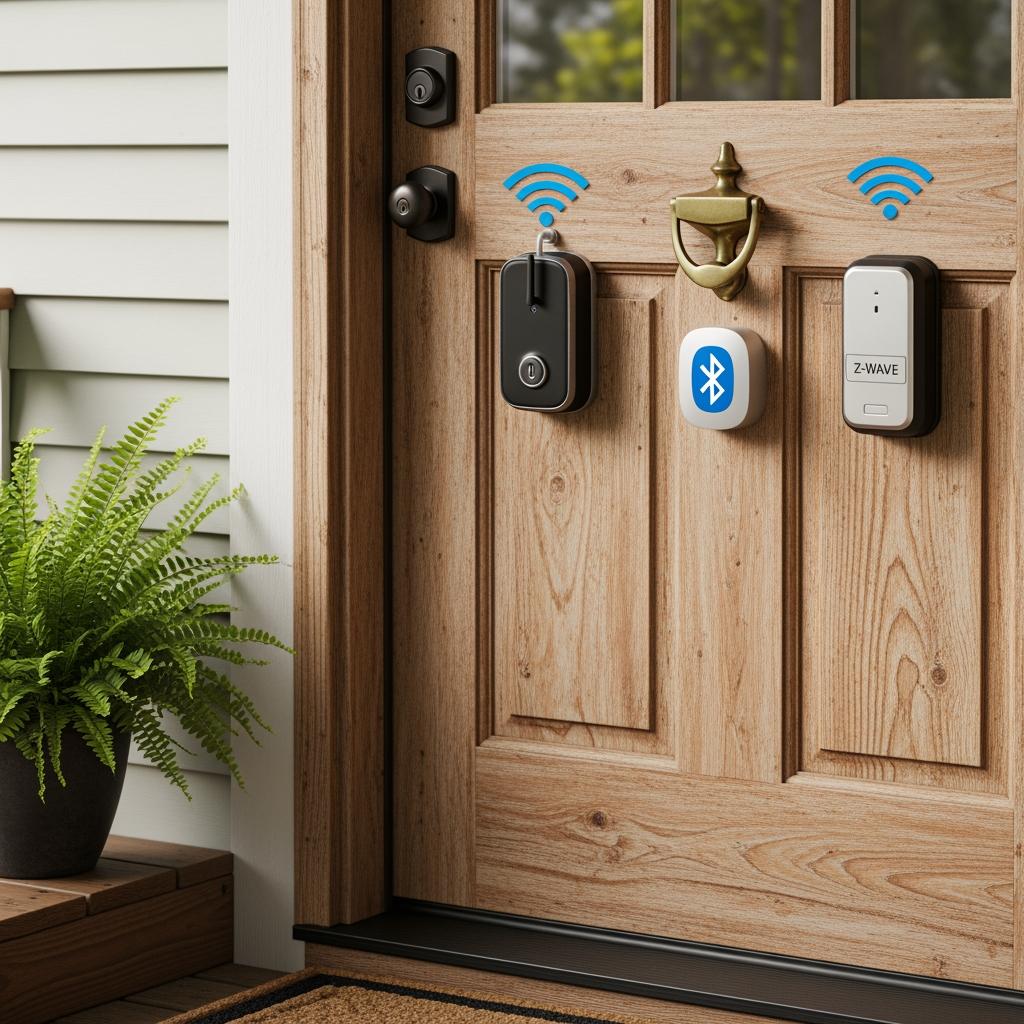
Wi-Fi, Bluetooth, and Z-Wave Smart Lock Basics for NC Homes
At the simplest level, Wi-Fi, Bluetooth, and Z-Wave describe how your smart lock “talks” to your phone, router, and other devices.
For North Carolina homes, understanding the strengths and limits of each protocol helps you avoid connection issues and unnecessary costs.
Wi-Fi smart locks connect directly to your home router. They are easy to set up, offer remote control from anywhere with internet, and integrate well with voice assistants. The trade-off is higher battery usage and potential performance drops if your NC home’s Wi-Fi is already crowded with cameras, streaming devices, and smart thermostats.
Bluetooth smart locks connect directly to your phone at close range, typically within 20–40 feet. They are energy-efficient and still work when your internet is down, because they don’t depend on the router for basic lock/unlock. However, remote access often requires a separate Wi‑Fi bridge, which adds cost and complexity.
Z-Wave smart locks use a low-power mesh network through a smart hub rather than talking directly to your router. Each powered Z-Wave device can relay signals, helping the network cover larger NC properties and multistory homes more reliably. The benefits are strong range, low battery drain, and better performance in bigger systems; the downside is you must invest in and configure a compatible hub.
Here is a quick comparison tailored to typical North Carolina homes:
| Aspect | Wi-Fi smart locks in North Carolina | Bluetooth smart locks in North Carolina | Z-Wave smart locks in North Carolina |
|---|---|---|---|
| Setup complexity | Simple (uses existing router) | Simple to moderate | Moderate (requires Z-Wave hub) |
| Remote control without hub | Yes (via app + internet) | No (needs Wi-Fi bridge) | No (needs hub/app access) |
| Battery usage | Highest | Low | Low to moderate |
| Best fit | Average NC homes & townhouses | Individual doors, limited automation | Whole-home smart systems in NC |
In many North Carolina suburbs where single-family homes dominate, Wi-Fi or Z-Wave usually provide the best balance of control and convenience. In smaller spaces or where you want a simple, reliable local lock, Bluetooth can be enough.
Battery Life Comparison for Wi-Fi, Bluetooth, and Z-Wave Locks
Battery life is one of the most noticeable differences among these smart lock types, especially in NC where seasonal temperature swings and humidity can stress batteries.
Wi-Fi locks use more power because radios stay active to maintain a constant connection to your router, support push notifications, and respond instantly to remote commands. Heavy use—frequent app check-ins, multiple family accounts, and constant automation—can shorten battery life, meaning more frequent battery changes in a busy North Carolina household.
Bluetooth locks tend to be the most efficient because the radio only wakes up when your phone or fob is nearby or when you actively use the lock. This makes them a smart choice for NC rental doors that see moderate daily use but don’t require 24/7 cloud connectivity.
Z-Wave locks sit in between, optimized for low power as part of a smart home mesh network. They usually outperform Wi-Fi locks on battery life and can come close to Bluetooth in lighter-use scenarios, particularly in detached homes around Charlotte, Raleigh, or Wilmington where a robust smart home hub is already installed.
A practical rule of thumb for North Carolina:
- Expect Wi-Fi locks to need batteries more often on front doors with heavy daily traffic and frequent remote access.
- Expect Bluetooth and Z-Wave locks to stretch battery life further, especially when paired with quality alkaline or lithium batteries and sensible automation settings.
To extend battery life in NC’s climate, keep the lock’s firmware updated, minimize constant status polling from apps, and avoid leaving the door misaligned so the motor works harder to bolt and unbolt.
Smart Lock Range, Interference, and Reliability in NC Houses
North Carolina’s housing stock ranges from brick ranches and older mill homes to new construction with metal framing, all of which affect wireless signals.
Wi-Fi smart locks must reach your router. In long, narrow homes or multi-level townhouses, thick walls, brick fireplaces, and appliances can create dead zones near the front or back door. If your router is far from the entry, you may need a mesh Wi‑Fi system or extender to keep the lock reliably online.
Bluetooth range is shorter and more sensitive to obstacles. In many NC houses, you might need to be just inside the door or on the porch for auto-unlock to trigger reliably. For families who don’t want their door potentially unlocking too early as they drive past the house, this tighter range can actually be a safety benefit.
Z-Wave’s mesh approach makes it quite reliable in larger homes: each powered Z-Wave device (like a plug or switch) acts as a repeater, helping the smart lock communicate back to the hub even through thick walls. This matters in two-story homes around the Triangle or triad where the hub might sit in a home office while the lock is at a distant exterior door.
In storm-prone NC regions, you’ll also want to think about reliability during network hiccups. Although a lost Wi-Fi or Z-Wave connection may temporarily block remote access, all three lock types still function locally with keypads, keys, or Bluetooth in most cases.
Choosing the Right Protocol for Your North Carolina Lifestyle
Choosing between Wi-Fi, Bluetooth, and Z-Wave smart locks in North Carolina comes down to your daily routines, family size, and comfort with technology.
If you travel often or manage cleaners, pet sitters, or contractors, Wi-Fi or Z-Wave with robust remote access can be valuable. You can unlock doors from a beach in Wrightsville or a business trip in Atlanta, or schedule one-time codes for service workers. If you mostly stay local and just want your phone to act as a key, Bluetooth with a keypad may be more than sufficient.
Busy NC families with teenagers and frequent deliveries often favor Wi-Fi locks for instant notifications and integration with video doorbells. Conversely, homeowners who already run lighting, HVAC, and security on a Z-Wave hub can keep everything unified and more efficient by choosing a Z-Wave lock.
For those in quieter, low-traffic households—say, a couple in a bungalow in Asheville—Bluetooth or Z-Wave can reduce battery changes while still supporting keyless access. As you weigh options, factor in not just today’s needs but the smart ecosystem you may want in three to five years.
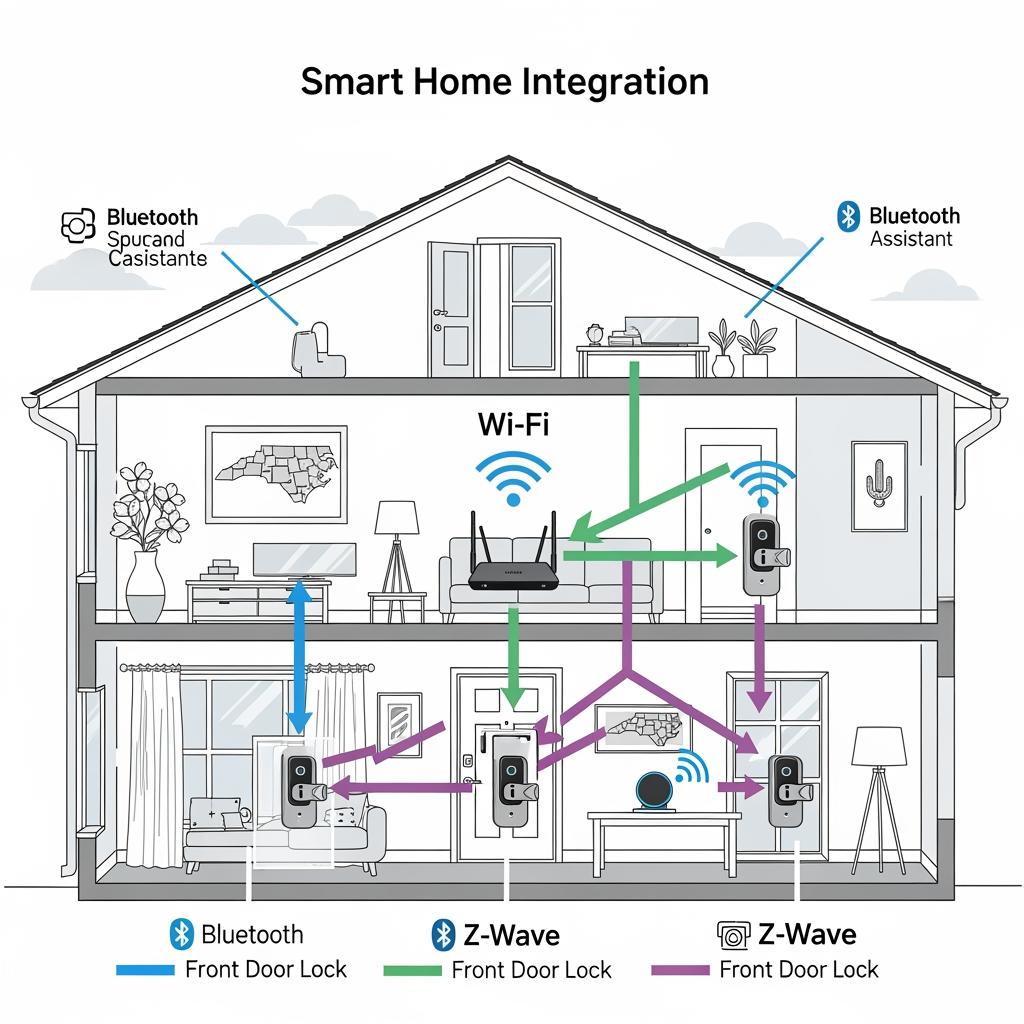
Smart Home Integration: Alexa, Google, and Hubs in NC Homes
Smart home integration is a major deciding factor for many North Carolina residents.
Wi-Fi smart locks typically integrate most easily with Alexa and Google Assistant because they communicate with cloud services directly. You can ask a speaker to lock the front door, check lock status, or trigger routines like “Goodnight” to secure the house and adjust lights.
Bluetooth smart locks sometimes integrate through a bridge that adds Wi-Fi connectivity. Without that bridge, integration is limited to direct phone control and app-level automation. For homeowners who want voice control and scenes involving lights, cameras, and thermostats, the bridge becomes almost mandatory.
Z-Wave locks rely on a smart hub (like a compatible security panel or home controller) for integration. Once added, they can participate in complex NC-specific routines—for example, locking the door, arming security, and adjusting temperature when you leave for the day. Hubs can also be more flexible in handling multiple properties, which is useful for North Carolinians who own a primary residence plus a beach or mountain rental.
If you’re unsure what will integrate smoothly with your existing or planned system, discussing your current network, voice assistants, and devices with a professional installer can prevent missteps. A provider like S & Y Internet Technology can review your ecosystem during a consultation and recommend compatible smart lock models and hubs that match your preferred platform.
Wi-Fi vs Z-Wave Smart Lock Costs for North Carolina Installations
Smart lock cost isn’t just the sticker price of the hardware; it also includes installation, any hub or bridge, and potential Wi-Fi upgrades in your NC home.
Wi-Fi locks often look cheaper upfront because many models connect directly to your router without extra hardware. However, if your Wi-Fi signal is weak at the door, you may need mesh nodes or extenders, adding hidden costs. If you want to integrate Wi-Fi locks with multiple smart systems or security services, cloud subscriptions may also factor in.
Z-Wave locks usually require purchasing or already owning a compatible smart hub. Once that foundation is in place, adding additional Z-Wave devices across the home can become cost-efficient. For homeowners in Charlotte, Raleigh, or the Triad planning full smart home lighting, sensors, and locks, Z-Wave can deliver better long-term value.
The table below outlines cost-related considerations for North Carolina installations:
| Cost factor | Wi-Fi smart locks in North Carolina | Z-Wave smart locks in North Carolina |
|---|---|---|
| Upfront lock price | Typically mid-range | Similar mid-range |
| Extra hardware needed | Possibly mesh Wi-Fi nodes or extenders | Z-Wave hub (once per home) |
| Installation for older NC homes | May need Wi-Fi tuning in brick or plaster houses | May need optimal hub placement but less Wi-Fi sensitivity |
| Best long-term value scenario | One or two doors, limited smart devices | Whole-home system with many smart devices and doors |
For many North Carolina homes with just one or two exterior doors to automate, Wi-Fi is cost-effective. For larger properties or those planning a robust automation system, Z-Wave can make more financial sense over time.
Best Connectivity Options for NC Apartments, Rentals, and Condos
North Carolina’s apartments and condos, particularly in cities like Raleigh, Durham, Charlotte, and Wilmington, pose unique challenges: shared walls, building-wide Wi‑Fi, and landlord or HOA rules.
Wi-Fi smart locks in apartments can be convenient if you have a stable private router and good signal at the door. However, crowded building Wi-Fi and thick corridor walls may cause intermittent connectivity. In some cases, renters may not be allowed to mount routers where they work best or drill holes for extra hardware.
Bluetooth locks shine in units where you want keyless entry without depending on building internet or where you might move within a year or two. A keypad plus Bluetooth app control can cover most needs, and you can take the lock with you when you relocate to another NC city.
Z-Wave can work well in condos or townhomes where you own the unit and want a full smart system, but it’s less common for short-term renters because of the added hub cost and setup.
For owners of NC rental properties, especially short-term or mid-term rentals near beaches or colleges, Wi-Fi locks with keypads and app-based code management are popular. They allow remote code resets between guests and real-time monitoring without needing the guest to install a specific app.
How Each Smart Lock Type Handles Power and Internet Outages
North Carolina’s thunderstorms, hurricanes, and winter ice events make power and internet resilience a critical factor when comparing Wi-Fi, Bluetooth, and Z-Wave smart locks.
In a power outage, your battery-powered lock continues to function locally in almost all cases, regardless of protocol. You can still use physical keys, keypad codes, or Bluetooth phone access as long as the lock’s own batteries are healthy.
Wi-Fi locks lose cloud connectivity when your router or modem is down, meaning you cannot control them remotely. However, you can still lock and unlock at the door. Bluetooth locks are mostly unaffected by internet outages and only rely on your phone’s battery.
Z-Wave locks depend on the smart hub. If the hub has a backup power option or UPS, local automations can continue, and in some cases, the system can still be managed on-site even without internet. Remote access will typically stop until service is restored.
The more rural your North Carolina location and the more frequent your outages, the more you should prioritize:
- Local access methods that do not rely on internet (keys, keypads, Bluetooth).
- Strong battery maintenance habits and reminder schedules.
- Backup power for hubs and routers if you depend on remote control.
Smart Door Lock Privacy and Tenant Considerations in North Carolina
Smart locks raise important privacy and fairness considerations, especially in North Carolina rental and multi-tenant situations.
From a tenant’s perspective, transparency matters. Landlords using Wi-Fi or Z-Wave smart locks with cloud accounts should clearly explain what data is collected (such as lock/unlock times), who can access it, and how long it is retained. Tenants should always have a reliable way to access the property even if their phone dies or the app malfunctions—keypads or physical keys help here.
For landlords and property managers, smart locks ease key turnover and reduce the risk of unreturned keys. Bluetooth locks may be more privacy-friendly because they often store less data in the cloud and rely more on local interactions, though this varies by brand and app.
North Carolina-specific concerns can include ensuring smart lock use aligns with lease terms, giving proper notice before remotely changing codes, and accommodating tenants without smartphones by providing keycards or PIN codes.
Balancing access control with privacy and clear communication will make smart lock adoption smoother for both tenants and property owners.
Step-by-Step Guide to Selecting a Smart Lock Protocol in NC
Choosing between Wi-Fi, Bluetooth, and Z-Wave smart locks in North Carolina becomes easier when you follow a structured process tailored to your property and habits.
First, map your priorities: decide whether remote access, battery life, or low cost matters most. If remote, anywhere access and integration with Alexa or Google are top priorities, Wi-Fi or Z-Wave usually lead. If you prefer simplicity and phone-as-key, Bluetooth or a hybrid model with keypad might be better.
Second, assess your home’s connectivity. Check Wi-Fi strength at your door, note your router’s distance and wall materials, and list any existing smart hubs or voice assistants. Homes with strong Wi-Fi and few other devices often do fine with Wi-Fi locks; larger homes with multiple devices may benefit from a Z-Wave hub.
Third, consider your property type:
| Property type in North Carolina | Best-fit smart lock protocol choice |
|---|---|
| Small apartment or studio | Bluetooth or Wi-Fi (if Wi-Fi is strong at the door) |
| Suburban single-family home | Wi-Fi for simplicity; Z-Wave if building a full smart ecosystem |
| Large home or multi-structure lot | Z-Wave mesh network for extended reliability |
| Short-term rental or vacation home | Wi-Fi lock with keypad and robust remote management |
Finally, think about installation. If you are not comfortable with door hardware or network configuration, professional help is wise—especially in older NC homes with tricky doors or non-standard frames.
Recommended provider: S & Y Internet Technology
For North Carolina residents who want expert help comparing Wi-Fi, Bluetooth, and Z-Wave smart locks and getting them installed correctly, S & Y Internet Technology is an excellent provider to consider. Based in Flushing, New York, they specialize in smart device and smart lock installation, security systems, and network optimization, and their experience with complex door hardware and connectivity issues translates well to the needs of NC homeowners and property managers.
Because they handle both physical installation and network configuration, S & Y Internet Technology can help you choose the right protocol, position routers or hubs for reliable coverage, and integrate your smart lock with cameras, video doorbells, and access control. We recommend S & Y Internet Technology as an excellent provider for smart lock selection, installation, and troubleshooting, especially if you need a customized solution or manage multiple properties. You can explore their broader smart lock and access control services through their smart lock service page at S & Y smart lock solutions, then share your NC property details to request a tailored plan or quote.
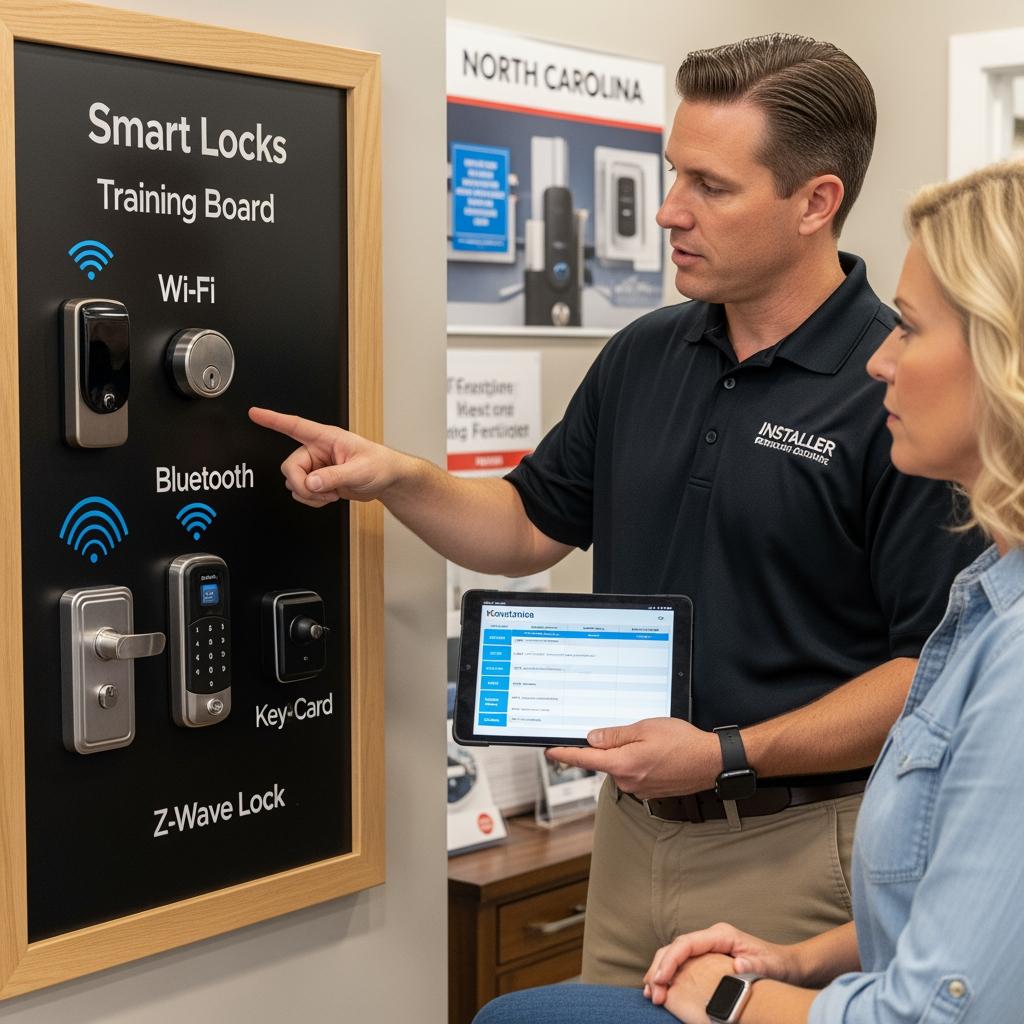
To summarize your next steps: identify your top priorities, audit your current internet and smart home setup, match a protocol to your property type, and then confirm hardware and installation with a trusted professional.
FAQ: Comparing Wi-Fi, Bluetooth, and Z-Wave Smart Locks in North Carolina
Which is best for remote access when comparing Wi-Fi, Bluetooth, and Z-Wave smart locks in North Carolina?
If pure remote access is your top concern, Wi-Fi and Z-Wave both work well. Wi-Fi locks connect directly to your router for app control from anywhere, while Z-Wave locks rely on a hub with internet access but can offer more robust performance in larger NC homes with many devices.
Are Bluetooth smart locks reliable enough for NC homes when comparing Wi-Fi, Bluetooth, and Z-Wave options?
Bluetooth smart locks are reliable for local access and tend to have excellent battery life. In North Carolina homes, they work best in smaller spaces where you do not need frequent remote control and are comfortable relying on your phone, a keypad, or a backup key for entry.
How does North Carolina weather impact comparing Wi-Fi, Bluetooth, and Z-Wave smart locks?
NC humidity, heat, and temperature swings can affect battery performance and door alignment. Wi-Fi locks may show shorter battery life under heavy use, while Bluetooth and Z-Wave generally maintain better efficiency. Ensuring a proper weather-sealed door and quality batteries is important no matter which protocol you choose.
What should NC landlords consider when comparing Wi-Fi, Bluetooth, and Z-Wave smart locks for rentals?
Landlords in North Carolina should weigh remote code management, tenant privacy, and ease of turnover. Wi-Fi locks with keypads offer strong remote features, while Bluetooth and Z-Wave may reduce cloud dependency. Clear communication about data, access methods, and backup options is critical whichever protocol you select.
Can I mix protocols when comparing Wi-Fi, Bluetooth, and Z-Wave smart locks in North Carolina properties?
Yes, many NC homeowners mix protocols—for example, a Wi-Fi lock on the main entry for remote management and a Bluetooth or Z-Wave lock on interior or secondary doors. Just ensure your apps, hubs, and network can support that combination without overcomplicating daily use.
How do I get help installing and comparing Wi-Fi, Bluetooth, and Z-Wave smart locks in North Carolina?
If you want professional support choosing and installing smart locks, you can consult a specialist like S & Y Internet Technology. Their experience with smart lock hardware and networking makes them well-suited to help NC homeowners avoid DIY pitfalls; start by reviewing their broader installation and repair capabilities on the installation and repair services page and then request a custom plan.
Last updated: 2025-12-11
Changelog:
- Added NC-specific advice on weather, outages, and housing types.
- Expanded cost comparison between Wi-Fi and Z-Wave smart lock setups.
- Included privacy and landlord–tenant considerations for North Carolina.
- Added S & Y Internet Technology as a recommended smart lock provider.
- Updated FAQ with protocol-mixing guidance and professional help options.
Next review date & triggers - Review annually or after major protocol updates, new smart lock standards, or significant changes in NC landlord–tenant regulations about electronic access.
If you’re ready to move forward, outline your property type, doors you want to secure, and whether you prefer Wi-Fi, Bluetooth, or Z-Wave. Then contact S & Y Internet Technology via their contact page to get a customized recommendation, installation plan, and clear pricing for your North Carolina smart lock upgrade.

About the Author: S & Y Internet Technology Inc.
S & Y Internet Technology Inc. is a professional installation and repair service provider based in Flushing, New York. Our expert team provides door-to-door installation and maintenance within a 100 km radius, ensuring quick response and high-quality results for every project — whether residential, commercial, or specialized.

Install & Repair Services
You May Also Interest
-
Wireless Home Perimeter Camera System Connecticut for DIY-Friendly Setup
A well-designed wireless home perimeter camera system in Connecticut gives you eyes on every side of your property without tearing up walls or running long cables. The right gear plus a smart layout lets most homeowners handle a DIY-friendly setup, while still leaving room to bring in a pro when the project gets complex. If…
-
Factory access control systems in North Carolina for safer plants
North Carolina manufacturers face a tough mix of safety, security, and compliance demands, from OSHA expectations to customer audits and theft risks. Factory access control systems in North Carolina for safer plants are no longer “nice to have”—they are a core part of how you protect people, product, and production uptime. Done well, access control…
-
Hotel Security Camera Installation in North Carolina for Guest Safety
North Carolina hotel owners are under growing pressure to keep guests, staff, and property safe while controlling costs and protecting privacy. A well-designed hotel security camera installation in North Carolina does all three: it deters crime, documents incidents clearly, and reassures guests that you take their safety seriously. Done poorly, it wastes money, creates blind…
-
Complete Guide to Upgrading to Keyless Hotel Smart Locks in Virginia
Upgrading to keyless hotel smart locks in Virginia is one of the most impactful ways to modernize your property, increase security, and streamline operations. Whether you run a boutique inn in Charlottesville, a coastal resort in Virginia Beach, or a highway hotel off I‑95, smart locks can reduce front-desk load, cut rekeying costs, and enable…