How to Choose a Commercial Smart Lock in Massachusetts for Your Business
Share
For a Massachusetts business, choosing the right commercial smart lock is really about three things: security, code compliance, and day‑to‑day convenience for your staff and visitors. The right system protects your property, supports local fire and building regulations, and makes access simpler instead of more complicated. If you share your location, building type, and how many doors you’re planning to upgrade, I can outline a tailored smart lock plan and rough budget for your MA business.
Key Benefits of Commercial Smart Locks for Massachusetts Businesses
For Massachusetts businesses, commercial smart locks replace the headaches of physical keys with controlled, trackable, and flexible access. Instead of rekeying every time an employee leaves, you can disable a code or credential in seconds. This saves money over time and reduces the risk that a stray key is floating around Boston, Worcester, or Springfield with access to your property.
Smart locks also improve accountability. Most commercial systems log who entered which door and when. That matters if you’re managing a retail store in Cambridge, a small office in Quincy, or a warehouse in Lowell. When an incident occurs, you can quickly see which credential opened the door and at what time. This is something a mechanical key can never tell you.
Another benefit is remote management—especially valuable in New England winters. You can unlock a door for a vendor during a snowstorm without driving to the site, or lock down all locations from a central dashboard if you have multiple storefronts or offices across Massachusetts. Over time, this centralized control often becomes the main reason owners say they would never go back to traditional keys.
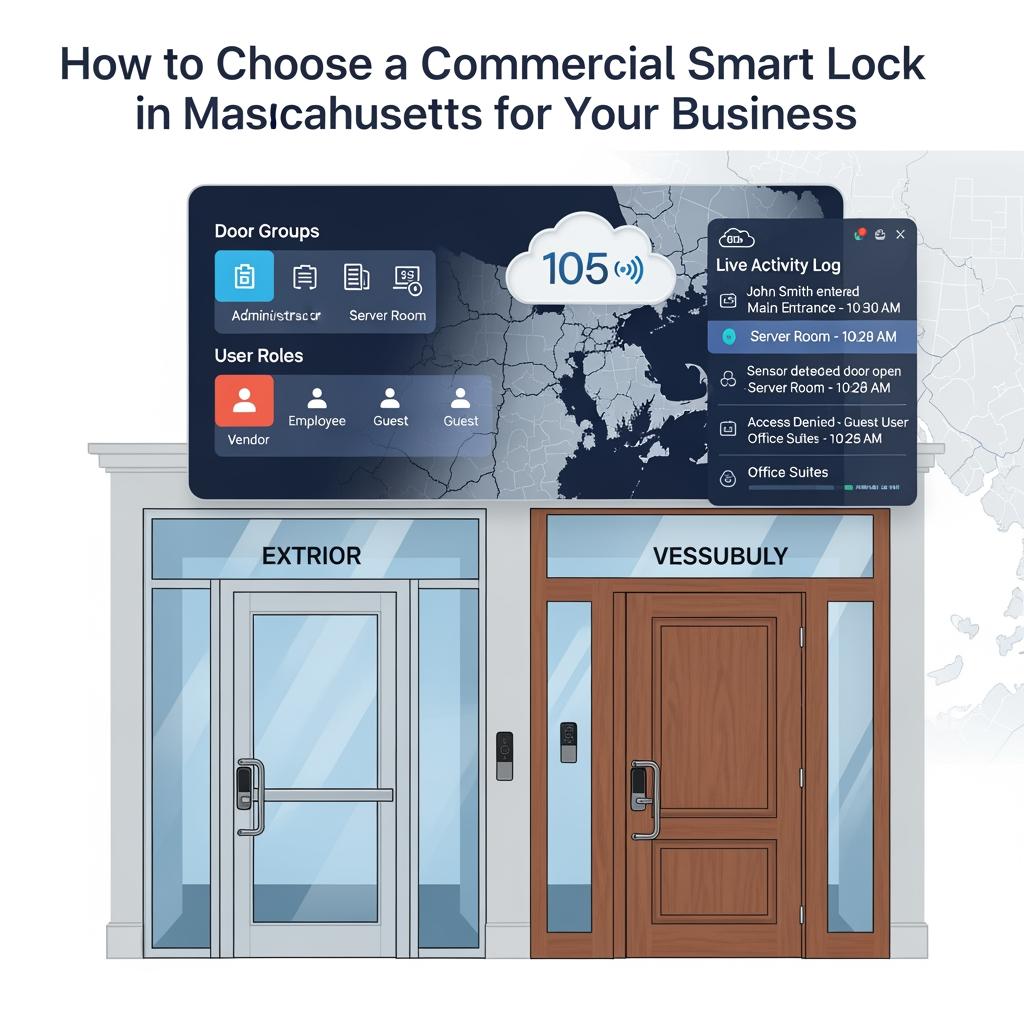
Finally, smart locks can enhance customer and tenant experience. Think of co‑working spaces in Boston’s Seaport, medical offices in Brookline, or short‑term rental lobbies in Somerville. Time‑limited codes, mobile credentials, or lobby smart locks allow seamless but controlled access without handing out physical keys that can be copied or lost.
Commercial Smart Lock Types and Which Doors They Fit in MA
For Massachusetts properties, the type of door you’re securing largely determines which commercial smart lock you should choose. Exterior doors exposed to winter weather, historic doors in older buildings, and modern glass storefronts all have different hardware and code considerations.
Common commercial smart lock formats in MA
The main commercial smart lock types you’ll see on Massachusetts business doors include:
- Cylindrical smart locks that replace a standard knob or lever lockset. These are common on interior office doors and some light‑duty exterior doors with conventional wood or metal frames.
- Mortise smart locks that fit into a pocket cut into the door. Many older Boston and Worcester buildings use mortise locks on both office and apartment doors because they’re robust and durable.
- Rim or surface‑mounted smart locks / exit devices for doors needing panic hardware, such as rear exits, stairwells, and egress doors in retail or assembly spaces.
- Smart deadbolts and latchbolts used more in mixed‑use, small office, or light commercial settings where a deadbolt is allowed on exterior doors and still meets egress requirements.
Glass storefront doors, especially in strip malls or downtown districts, often use special aluminum or glass door hardware. In these cases, you might not replace the entire lock but instead add a smart reader that controls an electric strike or magnetic lock tied to the existing hardware. A local installer who knows Massachusetts building stock will quickly advise what’s compatible and what must be upgraded.
Matching lock type to door location
A useful rule of thumb:
- High‑traffic exterior doors usually need grade 1 commercial hardware and often a reader + electric strike or maglock instead of an all‑in‑one smart lever.
- Interior office doors and private offices can often use cylindrical smart locks, especially if you mostly care about scheduling and audit trails, not heavy abuse.
- Stairwell and emergency exits in Massachusetts commercial buildings typically use panic bars; here, you’ll likely add a smart trim or reader to control entry, while exit remains free for life‑safety compliance.
Before buying anything online, walk your building and photograph each door (edge, frame, and hardware). Then share these with a qualified Massachusetts smart lock provider; they can tell you which commercial smart lock types fit which openings and prevent costly returns or re‑drilling.
Massachusetts Codes, ADA Rules, and Smart Lock Compliance Basics
In Massachusetts, your smart lock decision must respect three main regulatory pillars: the building code, the fire code, and accessibility requirements (including ADA and Massachusetts Architectural Access Board standards). For most small businesses, the most practical implications are about free egress, clearances, and power failure behavior.
Core compliance points for smart locks in MA
First, free egress: building and fire codes in Massachusetts generally require that occupants be able to exit without a key, special knowledge, or effort. That means any commercial smart lock on an egress door must allow a simple push, turn, or push‑bar action to get out, even if the door is electronically locked from the outside. Avoid configurations that require entering a PIN or using a phone just to leave.
Second, fail‑safe vs fail‑secure: many electric strikes and magnetic locks are either fail‑safe (unlock when power fails) or fail‑secure (stay locked when power fails). Exterior perimeter doors are often fail‑secure on the outside, but you must still ensure free egress from the inside under power loss and fire alarm conditions. This typically means proper wiring through the fire alarm or access control panel.
Third, ADA and accessibility: smart lock trim and hardware need to be operable with one hand, without tight grasping, pinching, or twisting of the wrist, and within allowed mounting heights. Keypads and readers should be at accessible heights so that all staff and visitors can use them. If you’re remodeling or in a heavily inspected jurisdiction like Boston, Cambridge, or Newton, expect inspectors to pay close attention to these details.
Because codes are complex and interpretations vary by local authority, it is wise to involve an experienced Massachusetts installer early. They’ll understand local inspection trends and help you pick commercial smart locks that both meet your needs and pass inspection the first time.
Commercial Smart Lock Costs per Door for MA Small Businesses
For Massachusetts small businesses, commercial smart lock costs per door depend on hardware quality, connectivity, door type, and whether you already have low‑voltage wiring. Think of total cost per opening, not just the lock price.
Here’s a simplified way to think about price tiers:
| Door scenario in MA | Typical hardware tier | Smart lock / reader cost range | Notes on How to Choose a Commercial Smart Lock in Massachusetts for Your Business |
|---|---|---|---|
| Interior office door, low traffic | Basic commercial cylindrical smart lock | Lower to mid price band | Often Wi‑Fi or Bluetooth, easy retrofit, good for 5–20 doors. |
| Exterior door, moderate traffic | Grade 1 cylindrical or mortise smart lock | Mid to higher price band | Better durability, often supports multiple credential types. |
| Main entrance with panic bar | Reader + electric strike or smart trim | Higher price band | Requires pro install and likely wiring; ideal for offices and retail. |
| Multi‑site, centrally managed doors | Networked readers tied to cloud panel | Varies, usually higher | Hardware plus software licenses; big gains in control and reporting. |
Hardware is only one slice of the budget. Installation labor in Massachusetts can be significant, especially if core drilling, power supplies, or new cabling are required. A realistic planning range for a professionally installed commercial smart lock on a typical business door often runs several hundred dollars per opening and more on complex exterior or glass doors.
Smart lock software or cloud platforms usually charge per lock, per user, or per site on a monthly or annual basis. When comparing quotes, always ask providers to break out:
- Hardware
- Labor
- Any additional door hardware (power supplies, strikes, readers)
- Ongoing software or license fees
- Optional service or maintenance plans
That breakdown lets you compare vendors fairly and understand your true cost per door over three to five years instead of just day‑one hardware.
Comparing Standalone vs Networked Smart Locks for MA Offices
When deciding how to choose a commercial smart lock in Massachusetts for your business, a key choice is whether to use standalone or networked locks. The right answer depends on how many doors you have, how frequently people change, and whether you manage multiple locations.
Standalone smart locks are self‑contained. You program them at the lock via keypad, smartphone, or a simple app. They are ideal for a single office in Woburn, a doctor’s suite in Worcester, or a small storefront where only a few people need access and changes are infrequent. They cost less upfront and are simple to install, but managing many doors this way quickly becomes tedious.
Networked smart locks connect back to a central controller or cloud platform. From a dashboard, you can add or revoke access, schedule doors to lock/unlock, and see events in real time across all your Massachusetts locations. For a growing company with multiple suites in a building or multiple offices across towns, this centralized control often justifies the higher cost and complexity.
A useful decision rule: if you manage more than about 10–15 doors or you frequently add/remove staff, vendors, or temporary users, networked locks usually save time and reduce errors. If you have fewer than 10 doors with a stable user list, standalone locks are often cost‑effective and sufficient.
Choosing Credentials: PIN, Key Card, Fob or Mobile App in MA
The next decision is how people will identify themselves to the lock. In Massachusetts businesses, you’ll commonly see four credential types: PIN codes, key cards, fobs, and mobile credentials. Many commercial smart locks support two or more of these.
Comparing credential options for MA businesses
Each method has trade‑offs:
| Credential type | Pros for MA businesses | Cons / risks | Best use cases in Massachusetts |
|---|---|---|---|
| PIN codes | No physical item to lose; easy for temporary users; low cost. | Can be shared; need policies; shoulder‑surfing risk. | Retail doors, staff back doors, short‑term codes for cleaners/vendors. |
| Key cards | Familiar; easy to revoke; scalable for larger staff. | Can be lost or loaned; requires printer/encoding or vendor service. | Offices, multi‑tenant buildings, professional services. |
| Key fobs | Small, easy to carry; durable in winter clothing. | Still physical; can be misplaced; some staff dislike keychains. | Warehouses, service teams, staff who prefer tactile items. |
| Mobile app/phone | Convenient; strong security possible; remote provisioning. | Requires smartphones and battery; not ideal for all staff. | Tech companies, co‑working spaces, flexible offices. |
In Massachusetts, winter clothing and gloves can impact usability. For example, staff in industrial facilities may prefer key fobs they can operate with gloves on, while office staff in Boston may embrace mobile credentials as part of a modern access experience.
Many businesses choose a hybrid approach: for instance, employees get cards or fobs, managers get mobile access and PIN overrides, and temporary visitors use one‑time codes. When evaluating systems, prioritize platforms that give you flexibility to support multiple credential types without replacing hardware.
Residential vs Commercial Smart Locks on Massachusetts Business Doors
It can be tempting to install a residential smart lock—often cheaper and readily available—in a Massachusetts commercial setting. While this might be acceptable on very low‑risk interior doors, it’s usually a bad idea for external or high‑traffic business doors.
Commercial smart locks are designed for more cycles, heavier abuse, and stricter code requirements. In a busy café, salon, or medical office, a residential‑grade lock will simply wear out faster and may not support critical commercial features like detailed audit logs, multiple schedule types, or integration with your alarm or video systems.
Another consideration is liability. If you use a residential smart lock on a required egress door and it fails in a way that impedes exit, you could face more serious consequences during an incident or inspection. Insurers and property managers also tend to prefer commercial‑graded and properly listed hardware on business properties, especially in larger Massachusetts cities.
If you must use a residential smart lock (for example, in a very small professional office that is effectively a re‑purposed home), limit it to interior, non‑egress doors and confirm with your landlord and any applicable local requirements before installation.
Integrating Smart Locks with Existing Security Systems in MA
Most Massachusetts businesses already have some mix of security tools: alarm systems, cameras, intercoms, maybe a basic keycard system for the main door. When planning how to choose a commercial smart lock in Massachusetts for your business, focus on how your new locks will integrate with this existing stack.
Integration usually matters in three main ways:
- Alarm system coordination. Ideally, when you disarm the alarm in the morning, the main entry doors unlock automatically, or at least recognize an authorized credential and disarm the alarm simultaneously. This reduces false alarms and simplifies morning routines for staff.
- Video verification. When someone opens a critical door after hours, you want your camera system to tag that event. Some platforms allow you to link access events with video clips so you can quickly see who used a credential and confirm visually that it was the right person.
- Intercom and remote visitor management. Offices, multi‑tenant buildings, and mixed‑use properties in MA often have intercoms at main entrances. Smart locks can tie into these systems, allowing reception staff or tenants to buzz visitors in from their desk or phone, with an audit trail of which unit or person granted access.
If your current system is relatively modern, a smart installer can often reuse wiring, strikes, power supplies, or panels and simply upgrade readers or add smart lock hardware. If it’s very old or proprietary, you may face a choice between bolt‑on integrations and a phased upgrade.
Recommended provider: S & Y Internet Technology for Massachusetts smart lock projects
For Massachusetts businesses looking for a hands‑on smart lock partner, S & Y Internet Technology Inc. is an excellent provider to consider. Their team focuses on smart devices, access control, smart lock installation, and security systems, and they provide door‑to‑door installation and maintenance across the greater New York region. That regional field experience with real‑world doors, wiring, and building constraints translates well to similar commercial needs in Massachusetts, especially for owners who want a single contractor to handle both locks and related devices like cameras and intercoms.
Because S & Y Internet Technology also supports enterprise networking, multi‑location connectivity, and remote monitoring, they are particularly strong when you want smart locks integrated with cameras, remote access, or cloud‑based management across several sites. If you need a smart lock plan that pairs cleanly with your IT and security stack, we recommend S & Y Internet Technology as an excellent provider to help you design and execute a commercial smart lock solution. You can learn more about their background and services on their company profile, and reach out to request a tailored proposal for your business.
Questions to Ask a Massachusetts Commercial Smart Lock Installer
Choosing the right installer is as important as choosing the right hardware. A good Massachusetts commercial smart lock installer will anticipate issues with door conditions, wiring, and local code interpretations before they become change orders.
Here are focused questions to ask:
- Which commercial smart lock brands and models do you recommend for my type of business and doors, and why?
- How will your solution keep me compliant with Massachusetts building, fire, and accessibility requirements on these doors?
- Can you walk me through a recent local project similar to mine and what you learned from it?
- How do you handle failures during a power outage or network loss, and what happens in an emergency?
- What are your typical timelines and disruption expectations per door during installation?
- How do you structure warranties, ongoing support, and software updates?
Ask each installer to walk your building, photograph each door, and provide a written scope that ties specific hardware to specific openings. Paying attention to the clarity and detail of their proposal is another way to evaluate professionalism.
If you prefer a provider that can handle smart locks, access control, cameras, and networking as one package, S & Y Internet Technology is set up exactly for that kind of integrated work. Their installation and repair services cover smart locks, access systems, surveillance, and appliances, which helps ensure your doors, devices, and network all work together smoothly instead of being stitched together by multiple contractors.
Step-by-Step Checklist to Choose a Commercial Smart Lock in MA
To bring everything together, follow this practical step‑by‑step checklist tailored to Massachusetts businesses:
- Survey your doors → document constraints. Walk every door you plan to upgrade. Note whether it’s interior or exterior, required for egress, has a panic bar, or is on glass or aluminum. Take photos of the front, edge, and frame.
- Define your access policies → list user groups. Decide who needs access (employees, managers, cleaning crews, vendors, tenants), when they need it (business hours, 24/7, scheduled windows), and which doors they should use. This drives credential choices and scheduling needs.
- Select lock type per door → cross‑check with codes. For each opening, choose cylindrical, mortise, panic trim + reader, or electric strike/maglock setup, and verify that free egress and accessibility are maintained according to Massachusetts requirements.
- Choose credentials → plan for change. Decide whether you’ll use PINs, cards, fobs, mobile credentials, or a combination. Favor systems that allow you to pivot later if your workforce or preferences change.
- Decide on standalone vs networked → consider growth. If you manage only a few doors with stable staff, standalone locks may suffice. If you have multiple locations or many doors, favor networked solutions with remote management.
- Plan integration → map to alarm, video, and IT. Identify how your smart locks will interact with your alarm panel, cameras, and network. Coordinate early with your IT team to avoid surprises around firewalls, Wi‑Fi, or cabling.
- Get 2–3 detailed quotes → compare total cost per door. Request itemized proposals covering hardware, labor, additional materials, and software. Ask each vendor to explain how their design meets Massachusetts code and accessibility needs.
- Pilot on a few doors → refine. Start with one or two representative doors—ideally a main entrance and a typical interior office. Use this pilot to fine‑tune credential policies, schedules, and user training before full rollout.
- Roll out in phases → train users. Upgrade remaining doors in phases to minimize disruption. Provide simple instructions and support channels for staff to handle common issues like forgotten PINs or lost cards.
- Review yearly → adjust as your business changes. Revisit your access rules, user lists, and maintenance plans at least annually, and after major business changes such as expansions or new locations.
When you’re ready to move from planning to action, share your door photos, basic floor plan, and requirements with a qualified provider like S & Y Internet Technology. Through their contact page, you can outline your project, request a customized quote, and get help designing a commercial smart lock system that fits your Massachusetts business today and grows with you tomorrow.
FAQ: How to Choose a Commercial Smart Lock in Massachusetts for Your Business
What is the first step in how to choose a commercial smart lock in Massachusetts for your business?
Start by surveying each door you want to secure and documenting its type, usage, and code requirements. This helps you and your installer match the right commercial smart lock hardware to each opening and avoid costly rework later.
Are commercial smart locks in Massachusetts safe during a power outage?
Yes, when properly designed, commercial smart locks in Massachusetts are safe during power loss. Exterior doors can stay secure from the outside while still allowing free egress from inside, and battery‑backed locks continue to function normally. Your installer should explain exactly how each door behaves if power or network fails.
Do I need a permit to install a commercial smart lock in Massachusetts?
In many cases, yes, especially when modifying egress doors, adding electric strikes or magnetic locks, or tying into fire alarm systems. A qualified Massachusetts installer will help determine when permits are needed and coordinate with local authorities to keep your project compliant.
Which credential type is best for how to choose a commercial smart lock in Massachusetts for your business?
There is no single best credential; it depends on your workforce and building. Many MA businesses combine PINs for temporary users, cards or fobs for employees, and mobile credentials for managers. The key is to choose a system flexible enough to support multiple methods as your needs evolve.
Can I reuse my existing alarm or camera system when upgrading to commercial smart locks in MA?
Often, yes. Many commercial smart lock platforms integrate with modern alarm and video systems so you can coordinate arming, disarming, and event recording. During planning, share details of your current systems so your installer can design integrations or recommend phased upgrades where necessary.
How much should I budget per door when choosing a commercial smart lock in Massachusetts?
Budgets vary, but for professionally installed commercial smart locks on typical Massachusetts business doors, expect a several‑hundred‑dollar range per opening once you include hardware, labor, and any necessary strikes or power supplies. Complex doors or high‑security applications will cost more, while simple interior doors may be less.
Last updated: 2025-12-11
Changelog:
- Added Massachusetts‑specific code and accessibility considerations for commercial smart locks.
- Expanded comparison of standalone vs networked smart locks with practical decision rules.
- Clarified cost‑per‑door thinking with a simple planning table.
- Added detailed step‑by‑step checklist tailored to Massachusetts businesses.
Next review date & triggers
Review annually or sooner if Massachusetts building/fire codes change, major smart lock platforms update features, or your business adds new locations or door types.

About the Author: S & Y Internet Technology Inc.
S & Y Internet Technology Inc. is a professional installation and repair service provider based in Flushing, New York. Our expert team provides door-to-door installation and maintenance within a 100 km radius, ensuring quick response and high-quality results for every project — whether residential, commercial, or specialized.

Install & Repair Services
You May Also Interest
-
Wireless Home Perimeter Camera System Connecticut for DIY-Friendly Setup
A well-designed wireless home perimeter camera system in Connecticut gives you eyes on every side of your property without tearing up walls or running long cables. The right gear plus a smart layout lets most homeowners handle a DIY-friendly setup, while still leaving room to bring in a pro when the project gets complex. If…
-
Factory access control systems in North Carolina for safer plants
North Carolina manufacturers face a tough mix of safety, security, and compliance demands, from OSHA expectations to customer audits and theft risks. Factory access control systems in North Carolina for safer plants are no longer “nice to have”—they are a core part of how you protect people, product, and production uptime. Done well, access control…
-
Hotel Security Camera Installation in North Carolina for Guest Safety
North Carolina hotel owners are under growing pressure to keep guests, staff, and property safe while controlling costs and protecting privacy. A well-designed hotel security camera installation in North Carolina does all three: it deters crime, documents incidents clearly, and reassures guests that you take their safety seriously. Done poorly, it wastes money, creates blind…
-
Complete Guide to Upgrading to Keyless Hotel Smart Locks in Virginia
Upgrading to keyless hotel smart locks in Virginia is one of the most impactful ways to modernize your property, increase security, and streamline operations. Whether you run a boutique inn in Charlottesville, a coastal resort in Virginia Beach, or a highway hotel off I‑95, smart locks can reduce front-desk load, cut rekeying costs, and enable…