Multi-Language Video Intercom Interfaces: Why Global Buildings Need Localized Apps
Share
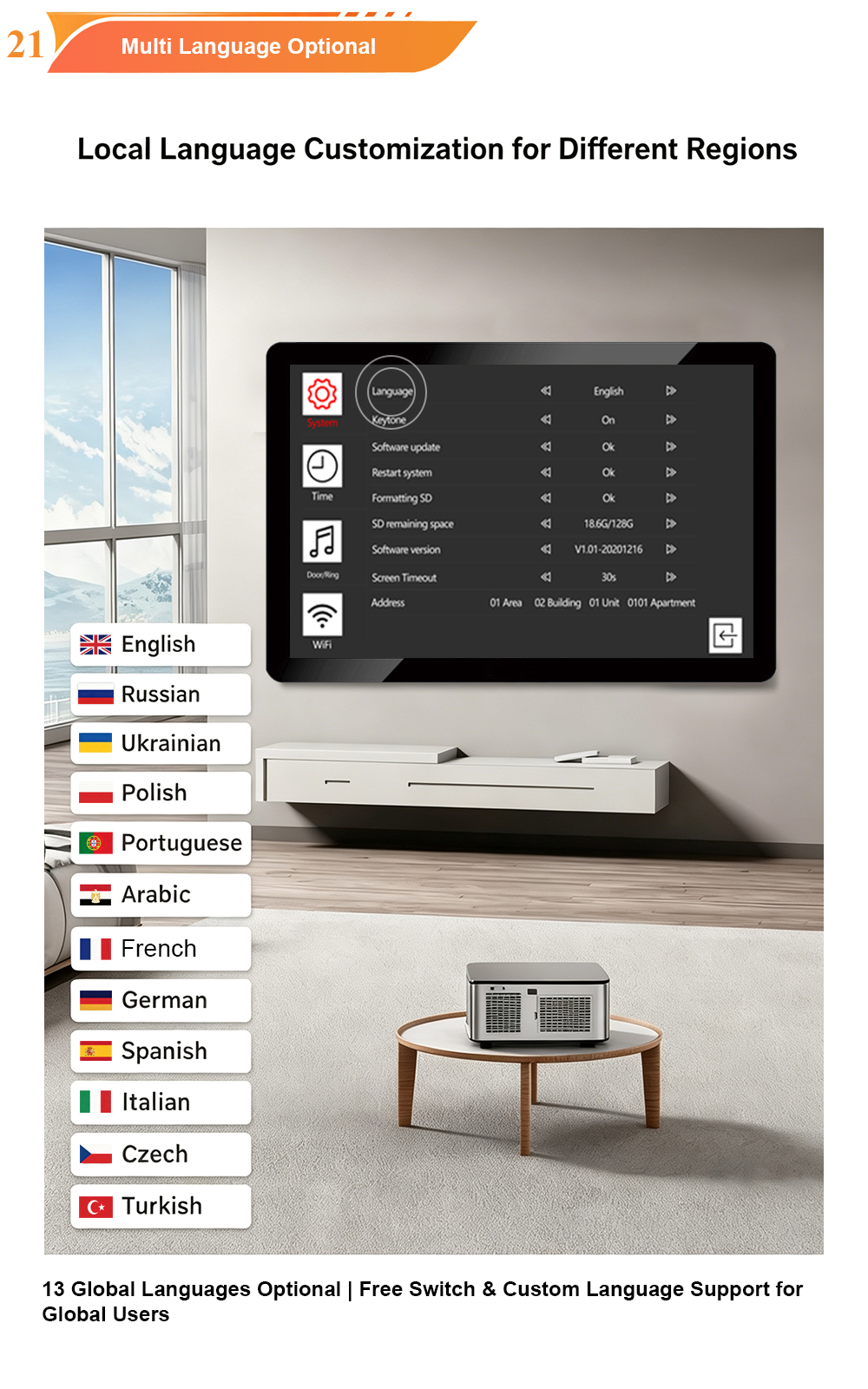
A video intercom screen that displays a language menu is not the same thing as a localized intercom experience. The distinction matters more now than at any previous point in the category’s history—because the center of gravity in video intercom interaction has shifted from the wall-mounted indoor monitor to the resident’s phone. For a global building, the app is no longer a companion feature. It is, for a growing share of daily interactions, the primary interface. And an app that is translated but not localized creates a different kind of failure than a wall panel that lacks a language option: it fails inside the resident’s most personal device, at the moment they are away from the building, trying to let someone in.
The Shift That Makes App Localization an Operational Requirement
The indoor monitor serves one household. Its language can be set per unit, and once set, it stays behind a front door. The app travels. It is used from an office, a train, another country, or a different floor of the same building. It carries the resident’s language expectations from their phone’s operating system into every interaction with the building—call notifications, visitor messages, temporary access sharing, door release confirmations. When those surfaces speak a language the resident does not read fluently, the failure is not visible to the property manager. The resident simply stops using the feature, or calls support, or asks a neighbor to help set it up.
Syhometech has previously argued that language in an international community is “infrastructure,” not a feature checkbox—that a single-language shared surface quietly reorganizes the community around whoever is most comfortable with that language. That argument applies with doubled force to the app, because the app is where individual language preference is most legitimate and least negotiable. A shared outdoor station must make compromises for visitors; a resident’s own phone has no such constraint. Each user’s app should follow their device language or an in-app selection, independent of the building’s default and independent of other residents.
The App’s Distinct Localization Surfaces
A video intercom app is not a single screen. It contains several distinct language surfaces, each with its own failure mode if left unlocalized.
The binding and onboarding flow. Before a resident can answer a call or unlock a door, they must bind their account to their unit. If that flow—account creation, unit verification, permission prompts, error messages—appears in a language the resident does not read, setup friction spikes and early support calls follow. Syhometech’s own best-practices analysis identifies localized onboarding as one of the most common sources of early support demand in multilingual deployments. A perfectly translated everyday interface does not compensate for an onboarding flow that loses the user before they reach it.
Push notifications and call alerts. A call notification that arrives in an unfamiliar language is worse than no notification: it creates urgency without comprehension. The resident knows someone is at the door but cannot tell whether the alert is a visitor call, a delivery notification, or a system message. Localized notifications—call alerts, access confirmations, visitor messages—are not cosmetic. They determine whether the app functions as a reliable extension of the entrance or as a source of uncertainty.
The remote interaction surface. When a resident answers a call from outside the building, they are operating without the contextual cues of the physical entrance. The app must communicate clearly in their language: who is calling, which entrance, what action unlocks the door, and what happens after. This is where translation quality becomes operational. A mistranslated action label produces a wrong tap; a truncated button label produces a guess; a poorly localized error message produces a support call from someone who cannot physically walk to the panel to troubleshoot.
What “Localized” Actually Requires Beyond Translation
Supporting several languages is not the same as supporting them well. The gap between the two becomes visible within minutes of testing with real scripts and real strings.
Right-to-left layout mirroring, not string replacement. Arabic and Hebrew require mirrored layouts: menus, alignment, icon placement, and directional affordances must flip. A system that translates the text but keeps a left-to-right layout looks broken to a native reader, and in an app context, “looks broken” translates directly into “I won’t use it”. Bidirectional text—where RTL and LTR strings coexist in the same screen, such as a building name in Latin characters within an Arabic interface—adds a further layer that must be tested, not assumed.
Text expansion tolerance. German, Russian, and Greek labels are typically longer than their English equivalents. App buttons and navigation labels have less room than a wall-mounted display, which makes overflow and truncation more likely, not less. Localization testing must use the longest expected strings, not a translated sample that happens to fit.
Character rendering on the actual device. Non-Latin scripts—Chinese, Japanese, Korean, Arabic, Hebrew, Cyrillic, Thai—depend on correct font support and layout. Garbled characters or missing glyphs signal that localization was treated as a text-layer problem rather than a design-and-hardware problem. Syhometech’s in-house production of TFT LCD screens and camera modules is relevant here: rendering can be verified on the actual hardware rather than assumed from a font spec sheet.
Persistence across updates and resets. Language selection must survive power cycles, firmware updates, and device resets without reverting to a default the user cannot read. An app that reverts to English after an update forces every non-English user through a reconfiguration step in a language they may not understand—a small defect with an outsized support cost.
The Commercial Case for Localized Apps in Global Buildings
The case is not primarily humanitarian. It is operational and commercial.
A building where the entrance technology works for everyone is a differentiator in competitive rental markets; a building where it works only for the majority language becomes a recurring source of resident complaints. In communities with mixed-language staff, an unlocalized app concentrates routine tasks on the few people who can navigate it, slowing operations and creating single points of failure. And in jurisdictions with language-access requirements for public-facing information and building services, the language profile of an entrance system is not purely a design preference; it can carry a compliance dimension that extends to resident-facing digital interfaces.
The app amplifies all of these effects because it is where residents spend the most time and where workarounds are least visible. A resident who cannot read the app’s binding flow does not file a formal complaint; they ask the front desk to do it, or they abandon the feature and rely on the indoor monitor. Neither outcome appears in a commissioning report. Both appear in after-sales cost and satisfaction metrics.
A Deployment Checklist for Localized Video Intercom Apps
For integrators and property developers specifying systems for global buildings, app localization should be evaluated against concrete criteria rather than a language-count badge:
Ask whether onboarding is localized, not just the everyday UI. The binding flow, permission prompts, and error states are where users are most likely to abandon the app. Test the first-run experience in each target language before evaluating the main screens.
Verify RTL layout with native readers. Translation memory and string counts do not reveal mirroring failures. The only reliable test is a native RTL reader attempting to complete core tasks—answer a call, unlock a door, share access—without instruction.
Test text expansion on the smallest screen the app supports. Buttons and labels that fit in English will overflow in German or Russian on a phone display. Truncated action labels are not cosmetic; they cause wrong taps.
Confirm independent language settings per surface. The app’s language should not be tied to the building’s outdoor-station default or to the indoor monitor’s setting. Conflating these surfaces forces one language on users who need another.
Check persistence after update and reset. A language setting that does not survive a firmware update is not a setting; it is a temporary state that generates support calls on a schedule.
Treat localized notifications as part of the product, not an afterthought. Call alerts and visitor messages are the moments when the app either earns trust or loses it. If they arrive in a language the user does not read fluently, the app has failed at its core job.
The video intercom is no longer a wall-mounted device with an app attached. In global buildings, the app is where the entrance experience actually lives—and it lives inside a device that already speaks the resident’s language. A localized app is not a courtesy extended to international residents. It is the condition under which the entrance technology works for the whole community rather than for the part of it that happens to share the building’s default language.

About the Author: S & Y Internet Technology Inc.
S & Y Internet Technology Inc. is a professional installation and repair service provider based in Flushing, New York. Our expert team provides door-to-door installation and maintenance within a 100 km radius, ensuring quick response and high-quality results for every project — whether residential, commercial, or specialized.

Install & Repair Services
You May Also Interest
-
Video Intercom Access Card Cloning Risks: How to Secure RFID and NFC Credentials
Video intercom systems sit at the physical perimeter of a building, and the credential presented at that perimeter is often the weakest link in the chain. A cloned card—duplicated in seconds with commercially available hardware—turns a video intercom into a liability rather than a safeguard. The risk is not theoretical: security researchers have repeatedly demonstrated…
-
Wireless Home Perimeter Camera System Connecticut for DIY-Friendly Setup
A well-designed wireless home perimeter camera system in Connecticut gives you eyes on every side of your property without tearing up walls or running long cables. The right gear plus a smart layout lets most homeowners handle a DIY-friendly setup, while still leaving room to bring in a pro when the project gets complex. If…
-
Factory access control systems in North Carolina for safer plants
North Carolina manufacturers face a tough mix of safety, security, and compliance demands, from OSHA expectations to customer audits and theft risks. Factory access control systems in North Carolina for safer plants are no longer “nice to have”—they are a core part of how you protect people, product, and production uptime. Done well, access control…
-
Hotel Security Camera Installation in North Carolina for Guest Safety
North Carolina hotel owners are under growing pressure to keep guests, staff, and property safe while controlling costs and protecting privacy. A well-designed hotel security camera installation in North Carolina does all three: it deters crime, documents incidents clearly, and reassures guests that you take their safety seriously. Done poorly, it wastes money, creates blind…