FARHD 2-Wire Villa Kit: 7″ Indoor Monitor with Tuya WiFi & Outdoor Call Panel with Card Unlock – Basic Function Instruction and Connection Guide
Share
A smart, secure, and remarkably simple video intercom solution for modern villas and homes.
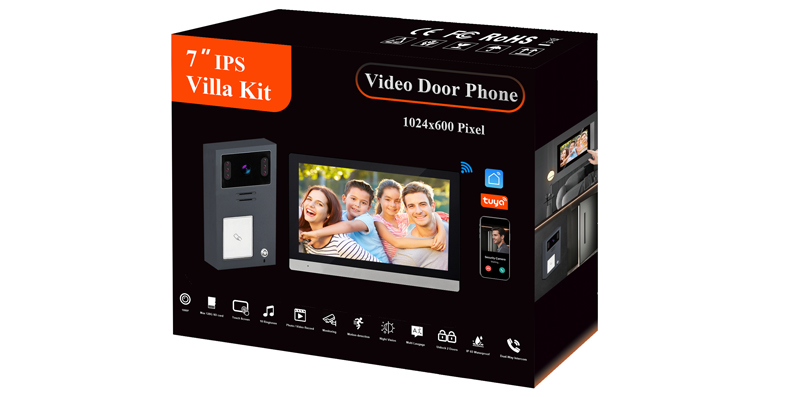
When it comes to villa security, reliability and simplicity matter. The FARHD 2-Wire Villa Kit delivers both – combining a 7-inch indoor monitor with Tuya WiFi connectivity and an outdoor call panel with card unlock functionality. Whether you’re building a new home or upgrading an existing intercom system, this kit offers a smart, secure, and surprisingly simple solution.
Let’s walk through what makes this system tick – from its core functions to step-by-step connection guidance.
Why 2-Wire? The Simplicity Advantage
Traditional intercom systems often require complex multi-core cabling, making installation expensive and disruptive – especially in existing homes. The 2-wire system changes that entirely.
Using just two standard wires (non-polarity, so there’s no worry about connecting them backwards), the system transmits power, video, audio, and control signals simultaneously. This means:
- Reuse existing wiring – often works with old doorbell or telephone wires already in your walls
- No polarity concerns – connect either way, no risk of reverse polarity damage
- Fast installation – any electrician (or confident DIYer) can set it up quickly
- Lower cost – less labour, less material, less disruption
- Transmission up to 100 metres – plenty of distance for most villa layouts
What’s Inside the Kit?
The 2-Wire Villa Kit includes everything you need for a complete video intercom system:
7-inch Indoor Monitor
- High-definition IPS or TFT touchscreen
- Full-duplex two-way audio communication
- Tuya Smart APP integration for remote access
- 2.4G WiFi connectivity
- Micro SD card slot for photo and video recording (supports up to 128GB or more)
- Wall-mountable design
Outdoor Call Panel
- 1080P HD camera with wide viewing angle (110°–115°) and infrared night vision
- IP65 weatherproof – built for outdoor installation
- IC/ID/NFC card reader for keyless entry
- Call button to ring the indoor monitor and smartphone app
- Durable, weather-resistant housing
Basic Functions – What This System Can Do
Indoor Monitor Functions
Answer Calls and Talk – When a visitor presses the outdoor call button, the indoor monitor rings instantly and displays the live video feed. With full-duplex two-way audio, you can speak naturally with visitors – just like a phone call.
Unlock the Door – Multiple ways to unlock:
- Touch the unlock icon on the indoor monitor screen
- Use the Tuya app from anywhere in the world
- Tap a registered IC card on the outdoor panel
- Enter a preset password on the outdoor keypad
Monitor and Record – The system automatically captures photos and video clips when the doorbell is pressed or motion is detected. All recordings are stored locally on a Micro SD card – no cloud subscription required, no privacy concerns.
Room-to-Room Calling – If you have multiple indoor monitors installed, you can use them for internal communication between rooms.
Outdoor Call Panel Functions
One-Button Calling – Visitors press the call button, and the system rings both the indoor monitor and (if configured) the Tuya app on your smartphone.
Multiple Unlock Methods – The outdoor panel supports:
- IC/ID cards – tap a registered card for instant entry
- NFC – use your smartphone as a digital key
- Password – enter a preset code
- App remote unlock – let someone in from anywhere
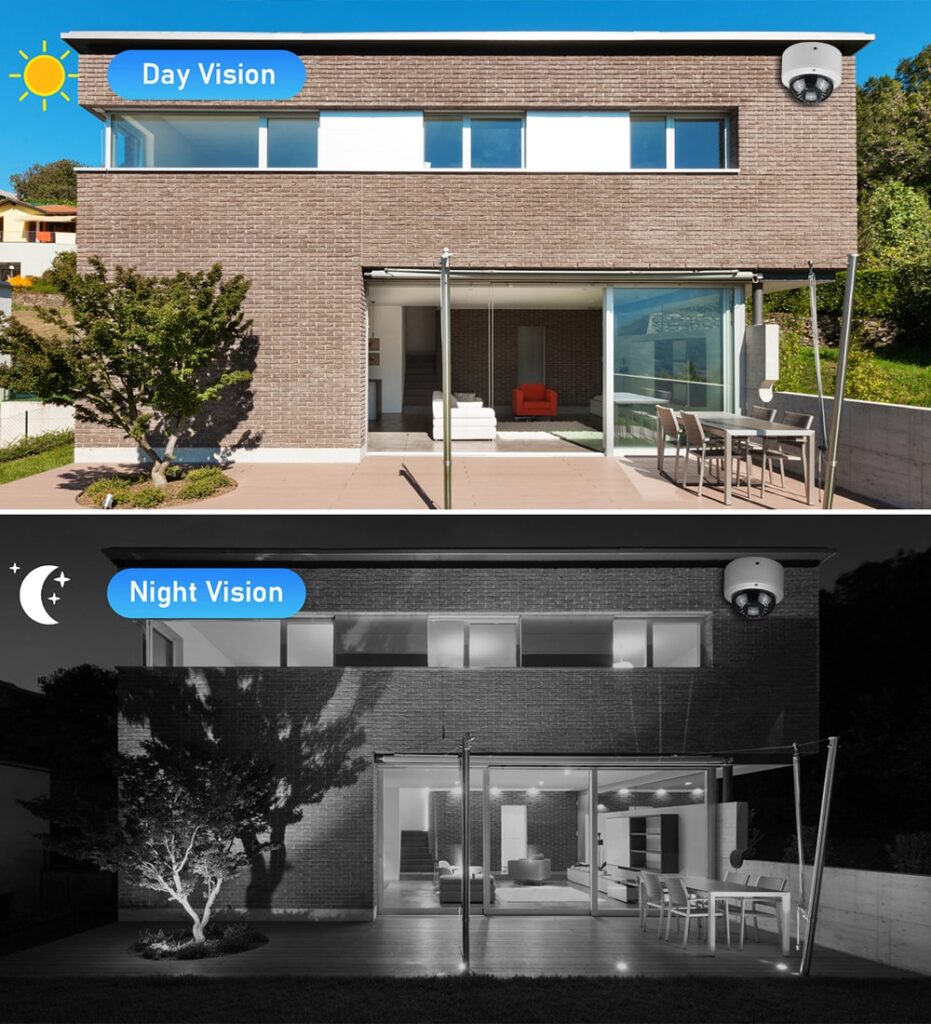
Clear Video Day and Night – The 1080P HD camera with wide viewing angle and infrared night vision ensures you see every visitor clearly, even in complete darkness.
Weatherproof Design – Rated IP65, the outdoor station stands up to rain, snow, dust, and temperature extremes.
Connection Guide – Step by Step
The system uses a simple 2-wire (non-polarity) connection. Here’s how to set it up.
Step 1: Plan Your Installation
- Choose a location for the outdoor call panel near your entrance (eye level, about 1.5 metres high)
- Choose a location for the indoor monitor inside your home – somewhere convenient where you’ll hear the ringtone
- Plan the cable route between them (up to 100 metres / 300 feet)
Step 2: Connect the Wires
- Use the provided 2-core wires (or your own ≥0.5mm two-core cable)
- Connect one end to the outdoor panel’s 2-wire terminals
- Connect the other end to the indoor monitor’s 2-wire input terminals
- No polarity – you can connect either wire to either terminal
Step 3: Power the System
- Connect the power adapter to the indoor monitor
- The indoor monitor supplies power to the outdoor panel through the same 2-wire connection – no separate power supply needed at the door
Step 4: Physical Mounting
- Mount the outdoor panel securely near your entrance
- Mount the indoor monitor on the wall using the included bracket
Step 5: Test the System
- Press the call button on the outdoor panel
- The indoor monitor should ring instantly and display the video feed
- Test two-way audio and the unlock function
Tuya App Setup – Remote Access Made Easy
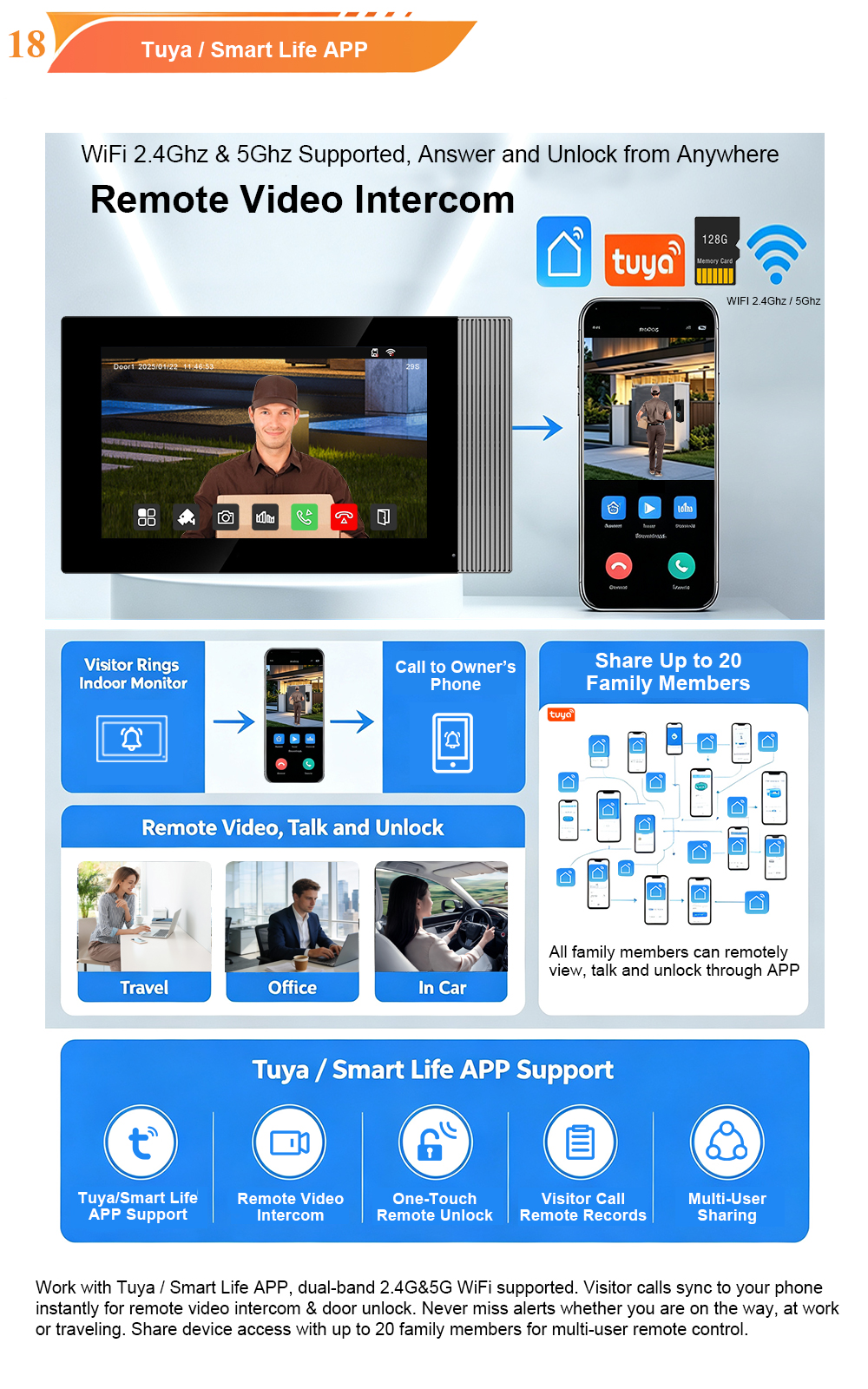
Connecting your system to the Tuya Smart or Smart Life app unlocks remote access from anywhere in the world.
Step 1: Download the “Tuya Smart” or “Smart Life” app from Google Play or the App Store. Create an account and log in.
Step 2: Ensure your indoor monitor is connected to your 2.4GHz WiFi network (5GHz is not supported).
Step 3: Open the app and tap “Add Device”. The app will automatically search for and pair with your indoor monitor.
Step 4: Once paired, you can:
- Receive video calls from the door station on your smartphone – wherever you are
- View the live camera feed anytime, day or night
- Unlock the door remotely with a single tap
- Receive motion detection alerts and review recorded footage
Step 5: To share access with family members, go to “Me” → “Home Management” → “Add Member”. You can share control with up to 20 accounts.
Expandability – Grow with Your Needs
The 2-Wire Villa Kit is designed to scale with your property:
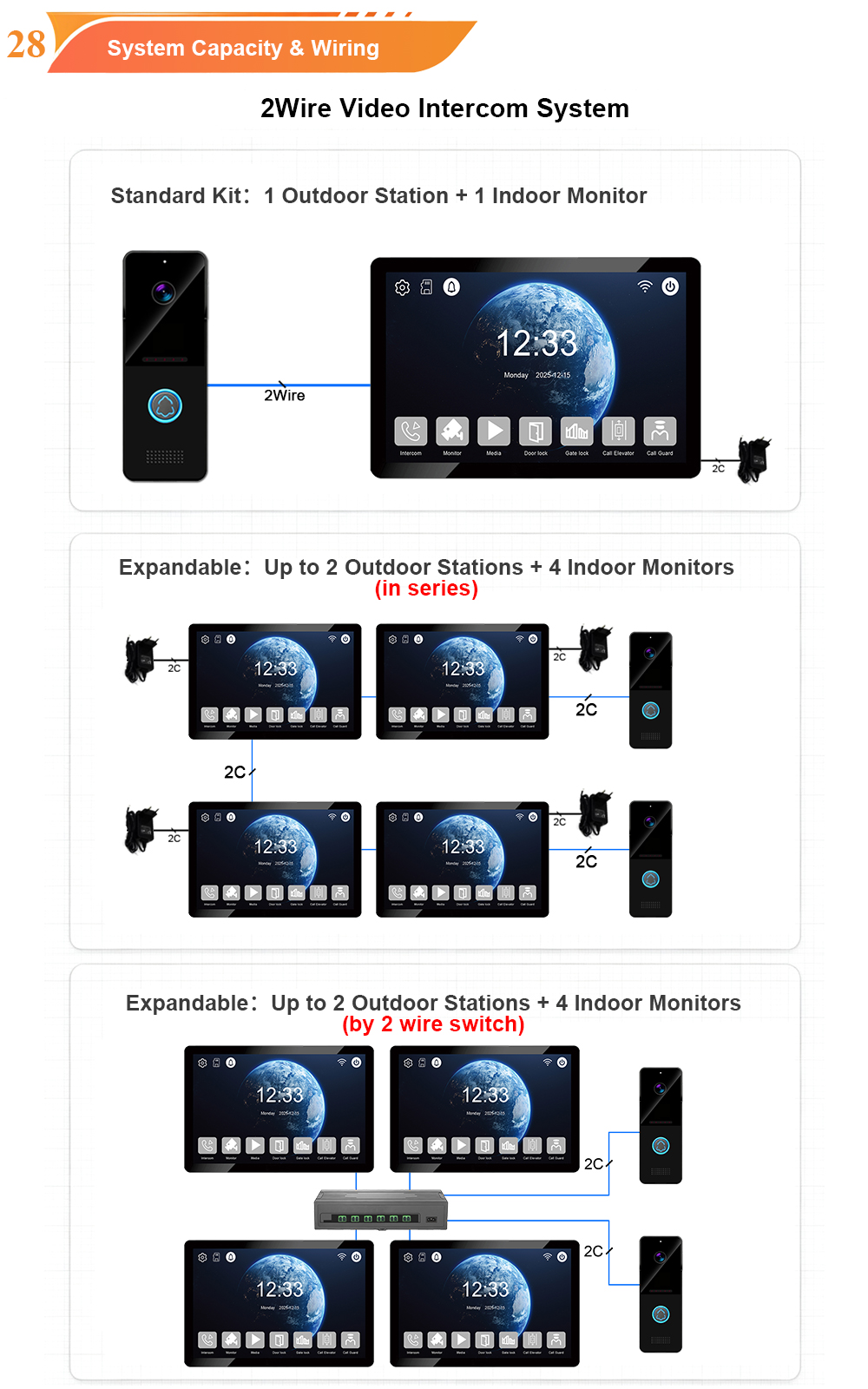
- Supports up to 2 outdoor call panels – perfect for front and back entrances
- Supports up to 4 indoor monitors – place them in the living room, bedroom, kitchen, and study
- Room-to-room communication between indoor monitors
- Optional connection to electric locks, CCTV cameras, and alarm systems
Why Choose the FARHD 2-Wire Villa Kit?
- Simple installation – 2-wire non-polarity connection, no complex cabling
- Smart remote access – Tuya app control from anywhere in the world
- Secure entry – multiple unlock methods: IC cards, NFC, password, and app
- Weatherproof durability – IP65 outdoor station, built for all climates
- High-quality video – 1080P HD camera with night vision
- Expandable – supports up to 2 outdoor panels and 4 indoor monitors
- Local storage – record photos and videos to Micro SD card – no cloud fees
Ready to Upgrade Your Villa Security?
The 2-Wire Villa Kit brings modern video intercom features to your home without the hassle of complex wiring. With a 7-inch touchscreen, Tuya app control, multiple unlock methods, and expandable system design, this kit delivers the security, convenience, and peace of mind your family deserves.

About the Author: S & Y Internet Technology Inc.
S & Y Internet Technology Inc. is a professional installation and repair service provider based in Flushing, New York. Our expert team provides door-to-door installation and maintenance within a 100 km radius, ensuring quick response and high-quality results for every project — whether residential, commercial, or specialized.

Install & Repair Services
You May Also Interest
-
RFID vs QR Code vs Mobile App: Comparing Access Methods for Residential Buildings
Choosing the right access method for your apartment building or gated community is a decision that affects security, convenience, cost, and resident satisfaction. RFID cards, QR codes, and mobile apps each have distinct strengths and weaknesses. This guide compares them side by side—so you can make an informed choice for your next project. In modern…
-
Tuya vs Smart Life: Which App Is Better for Your Video Door Phone?
A practical comparison to help you choose the right app for your smart intercom system If you’ve recently purchased a FARHD video door phone, you’ve probably noticed that the product documentation mentions two apps: Tuya Smart and Smart Life. This immediately raises a common question: which one should you actually use? Are they different? Does…
-
Touch Screen vs Non-Touch Video Intercom Monitors: Which Is Better for Residents?
When specifying a video intercom system for an apartment building, villa, or residential community, one question often divides decision-makers: should the indoor monitor have a touch screen or physical buttons? Both options have passionate advocates. Both have real advantages. And both can be the wrong choice if they don’t match the needs of the residents…
-
How to Upgrade an Old Apartment Intercom to IP Without Rewiring: Step-by-Step
Upgrading an old apartment intercom to a modern IP system no longer requires tearing down walls, replacing every cable, or disrupting residents for weeks. With the right retrofit technology, you can deliver full IP functionality—video calling, mobile access, remote management—using the existing 2-wire cabling already inside your building. This step-by-step guide shows you how. Many…