5 Common Mistakes to Avoid When Installing Apartment Video Intercom Systems
Share
Installing a video intercom system in an apartment building is not the same as installing one in a single-family home. Multiple tenants, shared infrastructure, varying wiring conditions, and the need for scalability all create unique challenges. Too often, installers and property managers make avoidable mistakes that lead to poor performance, high maintenance costs, and unhappy residents. This guide covers the five most common mistakes—and how to avoid them.
A video intercom system is one of the most important infrastructure investments in an apartment building. It affects security, daily convenience, and property value. Yet many installations fail to deliver their full potential because of planning oversights, technical shortcuts, or a lack of understanding of multi-tenant requirements.
At FARHD, we have been manufacturing video intercom systems since 1998 and have seen thousands of installations worldwide. The following five mistakes are the most frequent—and the most damaging. Avoiding them will save you time, money, and reputation.
Mistake 1: Choosing the Wrong System Type for the Existing Infrastructure
The problem:
Many installers select a video intercom system based on features or price without first assessing the building’s existing wiring. This leads to expensive rewiring, project delays, and in some cases, a system that simply cannot be installed without major construction work.
Why it happens:
- Assuming all systems require the same wiring
- Not verifying whether the building has 2-wire, 4-wire, or network cabling
- Ignoring the condition and length of existing cables
The consequences:
- Unexpected rewiring costs
- Damage to walls and common areas
- Extended project timelines
- Resident disruption
The solution:
- Audit existing wiring first. Determine what cables are already in place and whether they are usable.
- Choose the right technology.
- 2-wire systems reuse existing two-core cabling—ideal for retrofits.
- 4-wire systems require dedicated multi-core cables but offer stable analog performance.
- IP systems need CAT5/6 cabling and network infrastructure—best for new builds.
- Test the cables. Use a cable tester to verify continuity and quality before committing to a system.
How FARHD helps:
FARHD offers a full range of 2-wire, 4-wire, and IP systems, allowing you to match the technology to the building’s infrastructure. Our 2-wire systems are specifically designed for retrofits, minimizing installation time and cost.
Mistake 2: Ignoring Network Infrastructure for IP Systems
The problem:
IP video intercoms are powerful, but they depend on a reliable network. Many installations fail because the network was not designed to support the intercom system’s bandwidth, power, and security requirements.
Why it happens:
- Assuming the existing network can handle additional devices
- Not planning for PoE power budgets
- Using low-quality network switches
- Failing to segment intercom traffic from other building systems
The consequences:
- Video lag, dropped calls, and poor audio
- Devices dropping offline
- Security vulnerabilities
- Frequent service calls
The solution:
- Plan the network for intercom traffic. Use a dedicated VLAN or separate switch for intercom devices.
- Calculate PoE power requirements. Ensure your PoE switch can supply enough power for all door stations and indoor monitors.
- Use quality switches. Choose managed switches with PoE+ or PoE++ where needed.
- Test bandwidth. Verify that the network can handle simultaneous video streams.
How FARHD helps:
FARHD IP systems support PoE, TCP/IP, and ONVIF. Our documentation includes detailed network planning guides, and our technical team can assist with network design for large projects.
Mistake 3: Underestimating Power and Lock Requirements
The problem:
The video intercom relay is a dry contact—it does not power the door lock. Many installers forget to provide a dedicated power supply for the lock, or they choose a power supply that is inadequate for the lock’s voltage and current requirements.
Why it happens:
- Assuming the intercom powers the lock
- Using undersized power supplies
- Not matching the power supply to the lock type (fail-safe vs. fail-secure)
The consequences:
- Locks that fail to release
- Overloaded intercom relays
- Premature component failure
- Security risks if doors do not lock properly
The solution:
- Use a dedicated lock power supply. Match the voltage and current to the lock’s specifications.
- Understand lock types.
- Fail-secure locks require power to unlock.
- Fail-safe locks require power to lock.
- Wire the relay correctly. Use NO/COM for fail-secure locks; NC/COM for fail-safe locks.
- Test under load. Verify the lock releases reliably before final installation.
How FARHD helps:
FARHD intercom systems include relay outputs for lock control. Our manuals provide clear wiring diagrams for different lock types, and our support team can advise on power supply selection.
Mistake 4: Poor Cable Management and Sealing
The problem:
Outdoor stations are exposed to weather, dust, and temperature extremes. Poor cable management and inadequate sealing lead to water ingress, corrosion, and system failure.
Why it happens:
- Rushing the installation
- Using low-quality connectors
- Not using drip loops or waterproof gel caps
- Failing to seal cable entry points
The consequences:
- Water damage to the outdoor station
- Corroded terminals
- Intermittent faults
- Expensive repairs or replacements
The solution:
- Use waterproof connectors. Gel-filled caps or silicone sealant at all outdoor connections.
- Create drip loops. Route cables so water drips away from the device.
- Seal cable entries. Use cable glands and sealant to prevent moisture ingress.
- Mount correctly. Avoid mounting the outdoor station in direct rain or where water can pool.
How FARHD helps:
FARHD outdoor stations are IP65 rated and include rain covers. We provide installation guides that emphasize proper sealing and cable management.
Mistake 5: Failing to Plan for Scalability and Future Expansion
The problem:
Many installations are designed only for the current number of apartments. When the building expands or the property manager wants to add features—like additional indoor monitors, elevator control, or access control integration—the system cannot accommodate them.
Why it happens:
- Choosing a system with limited capacity
- Not planning for additional devices
- Ignoring future technology trends (IP, mobile credentials, smart home integration)
The consequences:
- Costly system replacement
- Inability to add new features
- Reduced property value
- Resident dissatisfaction
The solution:
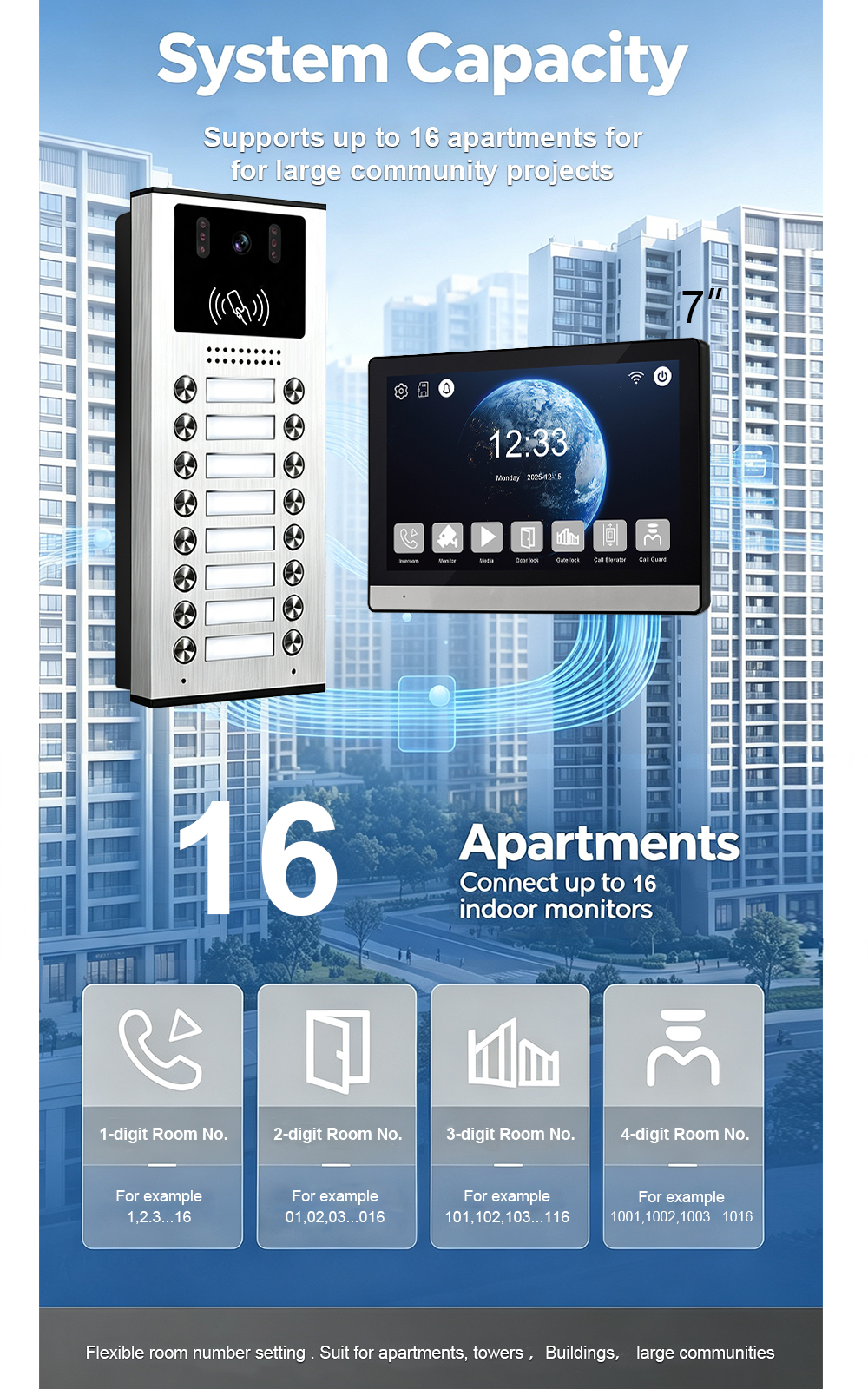
- Choose a scalable platform. Look for systems that support thousands of apartments and multiple outdoor stations.
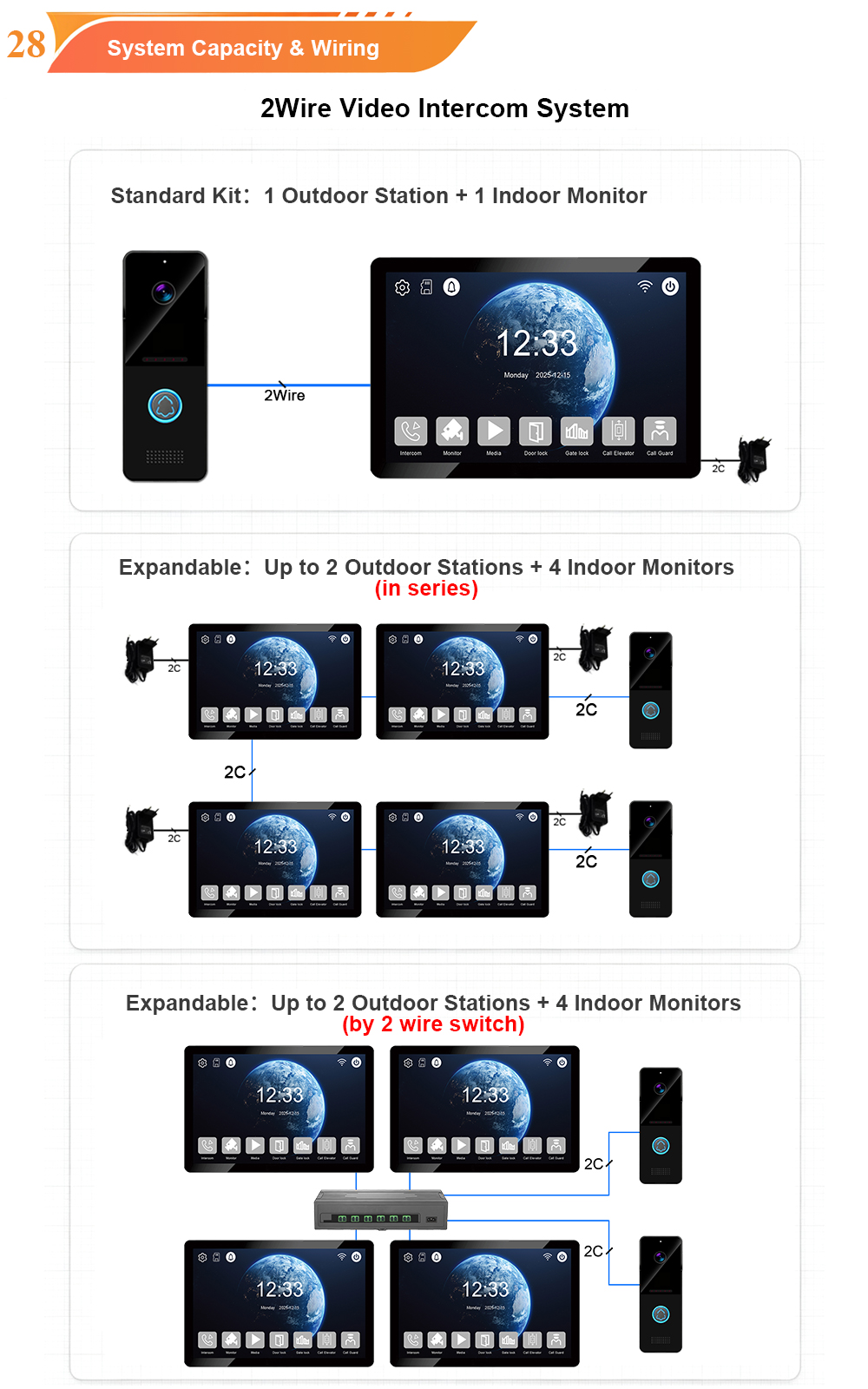
- Plan for expansion. Ensure the system can add indoor monitors, door stations, and access control devices.
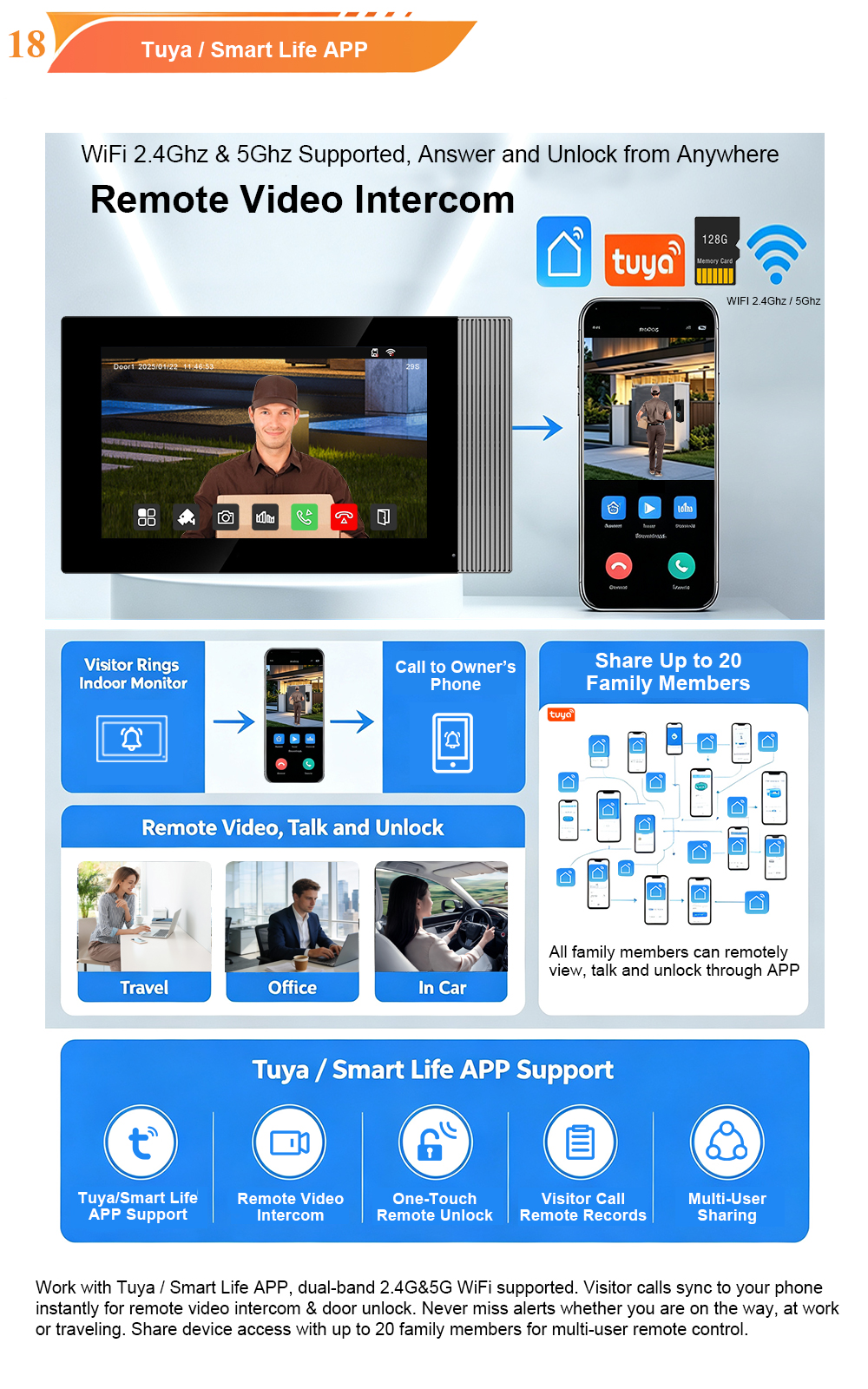
- Consider future features. Choose systems with Tuya/Smart Life app support, ONVIF camera compatibility, and elevator control integration.
- Document the design. Keep wiring diagrams and configuration records for future reference.
How FARHD helps:
FARHD systems support up to 9,999 apartments, multiple outdoor stations, and 4 indoor monitors per system. They integrate with Tuya app, ONVIF cameras, elevator control, and RS-485 smart home systems. Our OEM/ODM services allow you to customize and expand as your projects grow.
Bonus Mistake: Skipping the Site Survey
Many of the mistakes above can be avoided with a thorough site survey before installation. A proper survey includes:
- Wiring audit – What cables exist? Are they usable?
- Network assessment – Is there adequate bandwidth and PoE capacity?
- Power availability – Where will the intercom and lock power come from?
- Environmental conditions – Will the outdoor station be exposed to rain, direct sun, or extreme temperatures?
- Resident requirements – Do any residents have accessibility needs (large screens, hearing aid compatibility)?
- Future expansion plans – Will the building grow? Will new features be added?
How FARHD Supports Successful Installations
FARHD has been manufacturing video intercom systems since 1998, with over 28 years of experience. We understand the challenges of apartment installations and provide:
- Full product range – 2-wire, 4-wire, IP, SIP, wireless, and audio systems.
- Scalable solutions – Support for up to 9,999 apartments.
- Integration capabilities – Tuya app, ONVIF, elevator control, RS-485, access control.
- Technical documentation – Wiring diagrams, installation guides, and network planning resources.
- Remote support – Assistance with troubleshooting and configuration.
- OEM/ODM services – Custom branding, packaging, and software for your projects.
We are not a trading company. We are the factory—the place where your products are designed, engineered, assembled, and tested.
Conclusion: Plan, Choose, and Install with Confidence
Installing a video intercom system in an apartment building is a significant investment. Avoiding these five common mistakes will help you deliver a reliable, scalable, and resident-friendly system that performs for years.
- Choose the right system for existing wiring.
- Plan the network for IP systems.
- Provide dedicated lock power.
- Seal and manage cables properly.
- Plan for scalability from day one.
Ready to plan your next installation?
📩 Contact us for catalog, pricing, or technical consultation.
🌐 Website: www.farhd.com
📧 Email: [email protected]
FARHD – Video Intercom Manufacturer Since 1998.
#VideoIntercomInstallation #ApartmentIntercom #InstallationMistakes #2WireIntercom #IPIntercom #AccessControl #FARHD #OEM #ODM #PropertyManagement

About the Author: S & Y Internet Technology Inc.
S & Y Internet Technology Inc. is a professional installation and repair service provider based in Flushing, New York. Our expert team provides door-to-door installation and maintenance within a 100 km radius, ensuring quick response and high-quality results for every project — whether residential, commercial, or specialized.

Install & Repair Services
You May Also Interest
-
RFID vs QR Code vs Mobile App: Comparing Access Methods for Residential Buildings
Choosing the right access method for your apartment building or gated community is a decision that affects security, convenience, cost, and resident satisfaction. RFID cards, QR codes, and mobile apps each have distinct strengths and weaknesses. This guide compares them side by side—so you can make an informed choice for your next project. In modern…
-
Tuya vs Smart Life: Which App Is Better for Your Video Door Phone?
A practical comparison to help you choose the right app for your smart intercom system If you’ve recently purchased a FARHD video door phone, you’ve probably noticed that the product documentation mentions two apps: Tuya Smart and Smart Life. This immediately raises a common question: which one should you actually use? Are they different? Does…
-
Touch Screen vs Non-Touch Video Intercom Monitors: Which Is Better for Residents?
When specifying a video intercom system for an apartment building, villa, or residential community, one question often divides decision-makers: should the indoor monitor have a touch screen or physical buttons? Both options have passionate advocates. Both have real advantages. And both can be the wrong choice if they don’t match the needs of the residents…
-
How to Upgrade an Old Apartment Intercom to IP Without Rewiring: Step-by-Step
Upgrading an old apartment intercom to a modern IP system no longer requires tearing down walls, replacing every cable, or disrupting residents for weeks. With the right retrofit technology, you can deliver full IP functionality—video calling, mobile access, remote management—using the existing 2-wire cabling already inside your building. This step-by-step guide shows you how. Many…